
SUITEAPP · BUILT FOR ORACLE NETSUITE
Get invoices paid without the chase.
PortalGen adds a branded, self-service payment portal to your NetSuite account. Customers log in, see what they owe, and pay — and every payment is recorded in NetSuite automatically.
Installed in your NetSuite instance — not bolted on beside it.
THE PROBLEM
Collections shouldn’t run on phone calls.
You run your business on NetSuite. But getting invoices paid still runs on email threads, callbacks, and re-sent PDFs — and every payment that arrives outside the system is another manual entry for your AR team.
01
The chase
Overdue invoices become follow-up calls and “just checking in” emails — time your finance team doesn’t have.
02
The back-and-forth
“Can you resend that invoice?” “What’s our balance?” Every request is a ticket only your team can answer.
03
The double entry
Checks and phone payments land outside NetSuite, so someone keys them in — and AR is only as current as the last data entry.
WHAT PORTALGEN DOES
A self-service portal for your customers. A closed loop for your books.
PortalGen publishes a branded, web-accessible portal from inside your NetSuite account. Your customers handle their own billing; NetSuite stays the single record of truth.
CUSTOMERS SEE
Every invoice, live
Open invoices, balances, and payment history — pulled straight from your NetSuite records, always current.
CUSTOMERS PAY
In a few clicks
One invoice or several at once, on their schedule — no phone call, no mailed check, no waiting on your office hours.
NETSUITE RECORDS
The moment it happens
Payments post against the right invoice and customer automatically. No import, no reconciliation queue.
KEY CAPABILITIES
Built for the way finance teams run AR.
Your brand, your portal
Your logo and colors, on your NetSuite account — customers see your company, not a third-party payment page.
Flexible ways to pay
Card payments built in. Add PayGen for ACH, partial payments, statements, and deposits on open sales orders.
Instant, accurate records
Every payment posts to the right invoice in NetSuite as it happens, so AR aging reflects reality.
Full account visibility
History and downloadable invoices on demand — customers answer their own questions.
INSIDE THE PORTAL
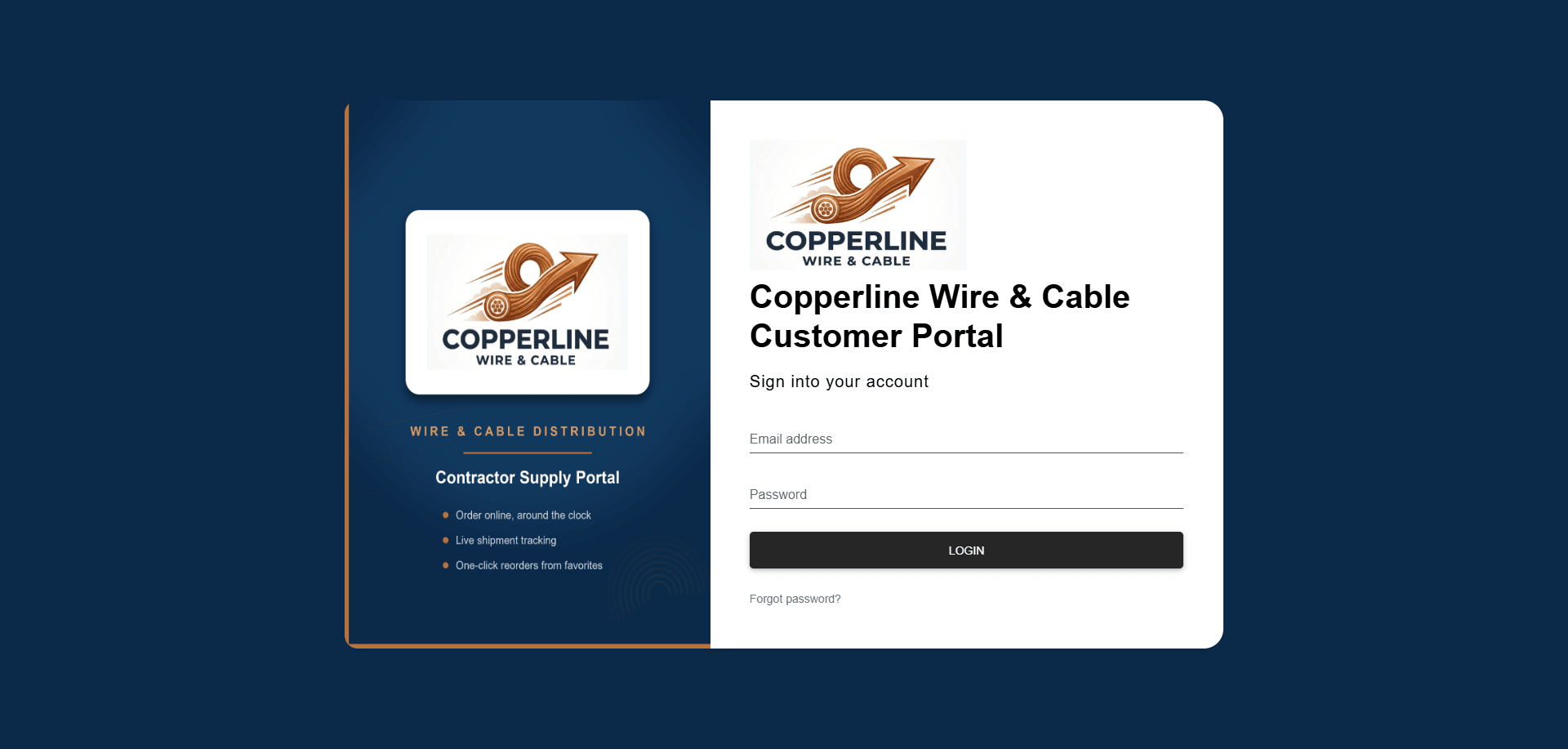
Your brand on the front door
Customers sign in to a portal that looks like your company — logo and colors, on your NetSuite account.
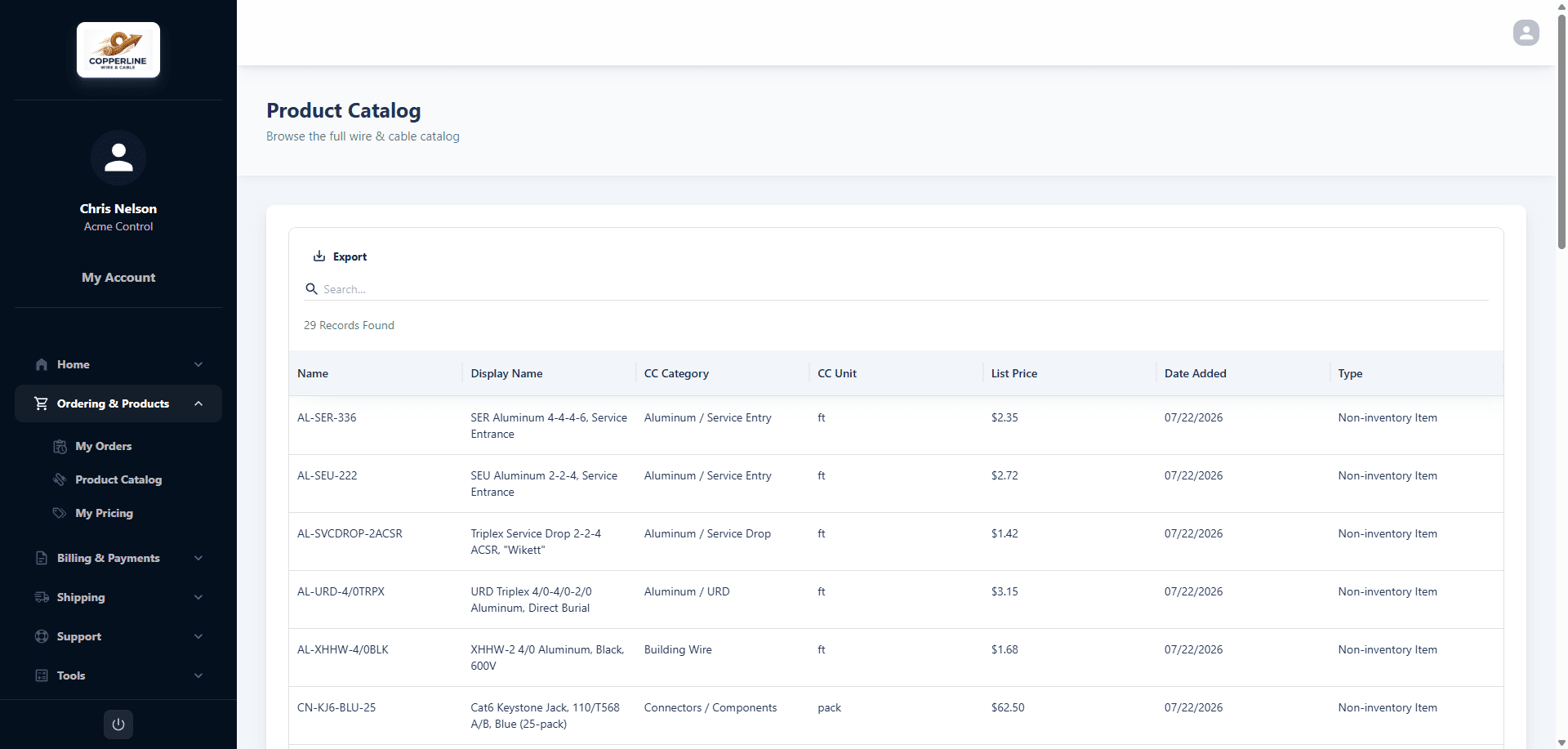
Order from your catalog
Your full item list with search and units, so customers build an order without calling in.
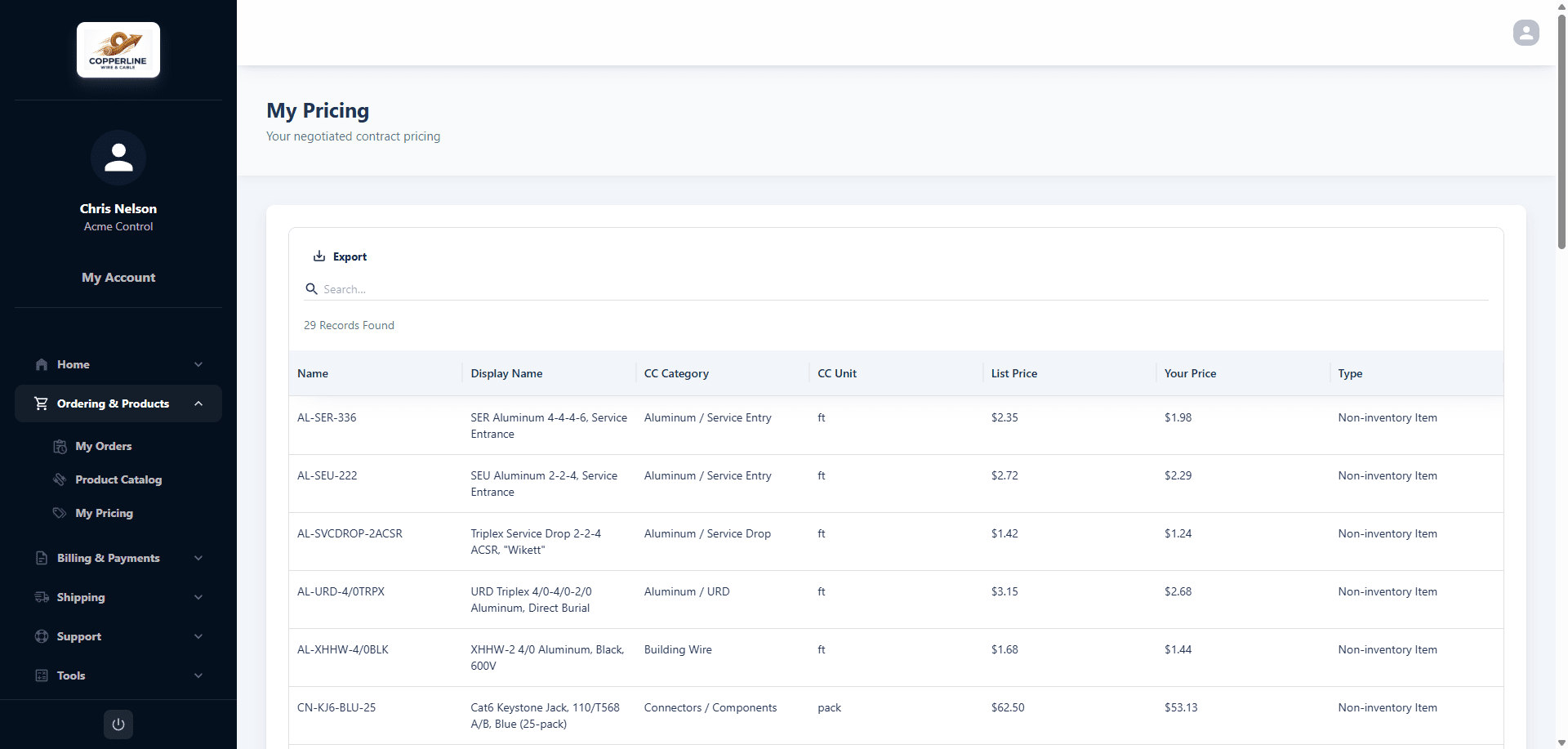
Their contract pricing
Every customer signs in to their own negotiated pricing, shown beside list price.
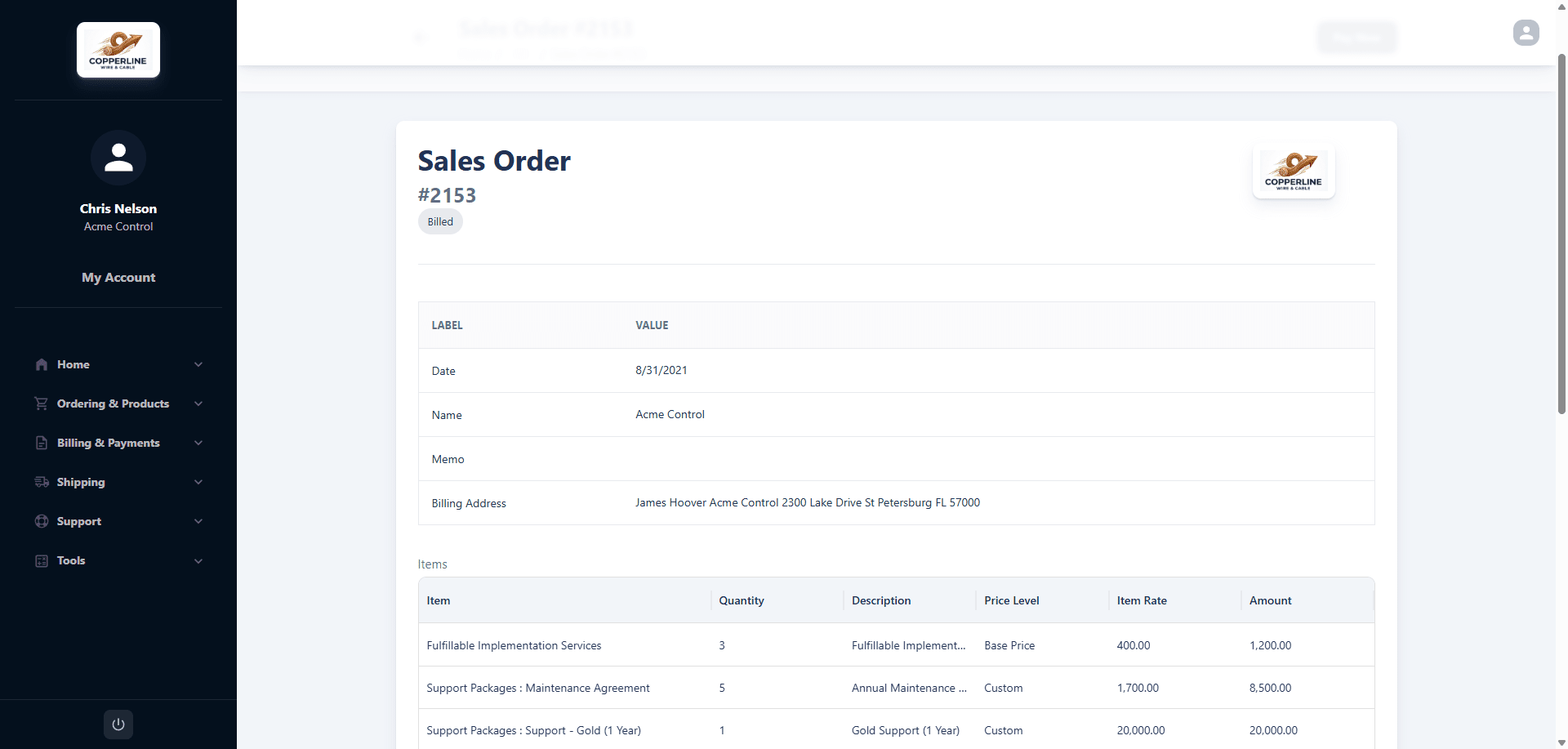
Pay orders and invoices
Open any sales order or invoice, review the lines, and pay it on the spot.
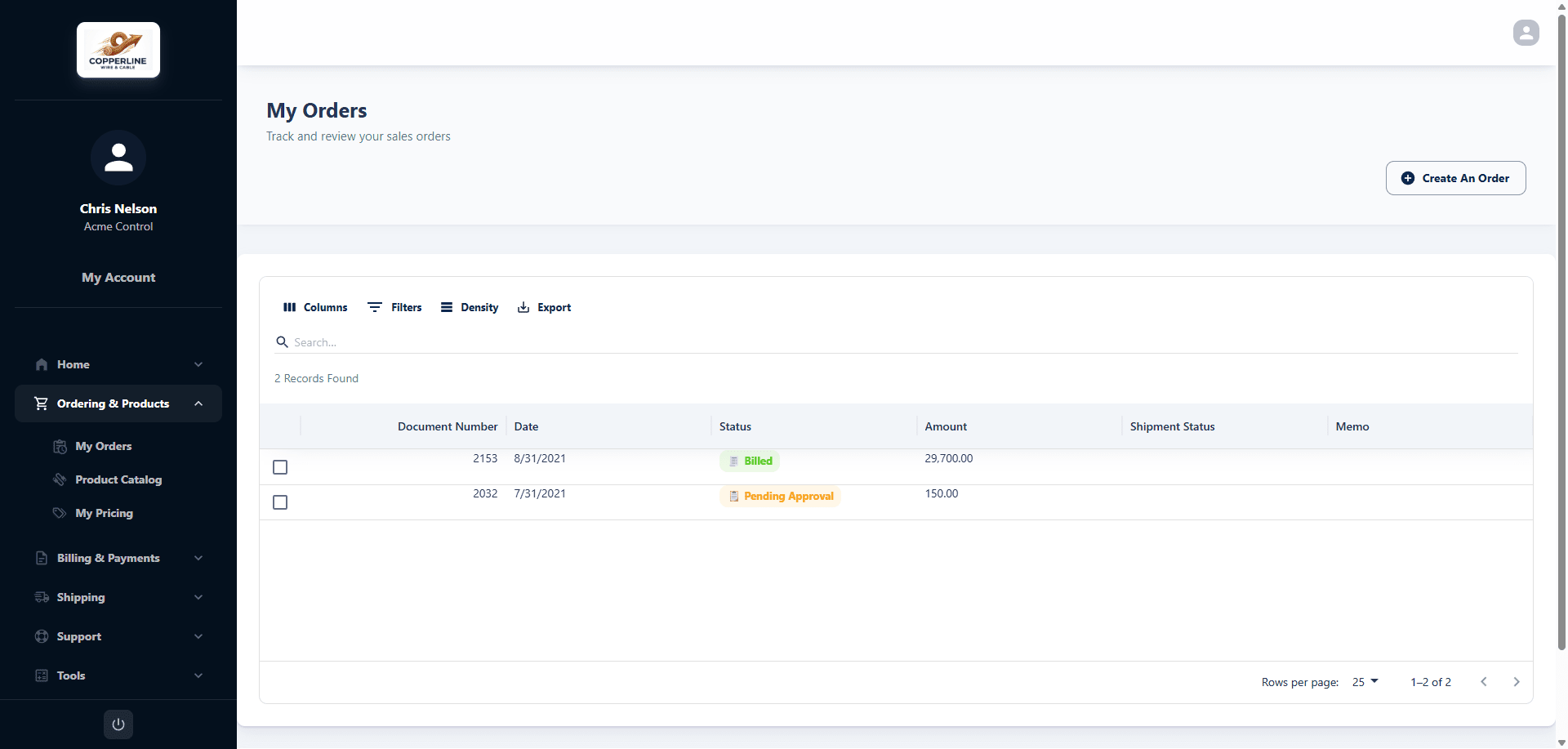
Track every order
Order history, status, and tracking — customers check on themselves instead of calling in.
HOW IT WORKS
Live in your account, not on a roadmap.
STEP 1
Install the SuiteApp
PortalGen installs into your NetSuite account like any SuiteApp — no servers to stand up, no integration project, no new database.
STEP 2
Brand it and invite customers
Apply your logo and colors, connect your payment processor, and invite customers from the records you already keep.
STEP 3
Customers pay, NetSuite records
From day one, payments arrive on their own and post themselves. Your team reviews AR instead of typing it.
1234567.app.netsuite.com
1234567.app.netsuite.com
SUPPORT CASES
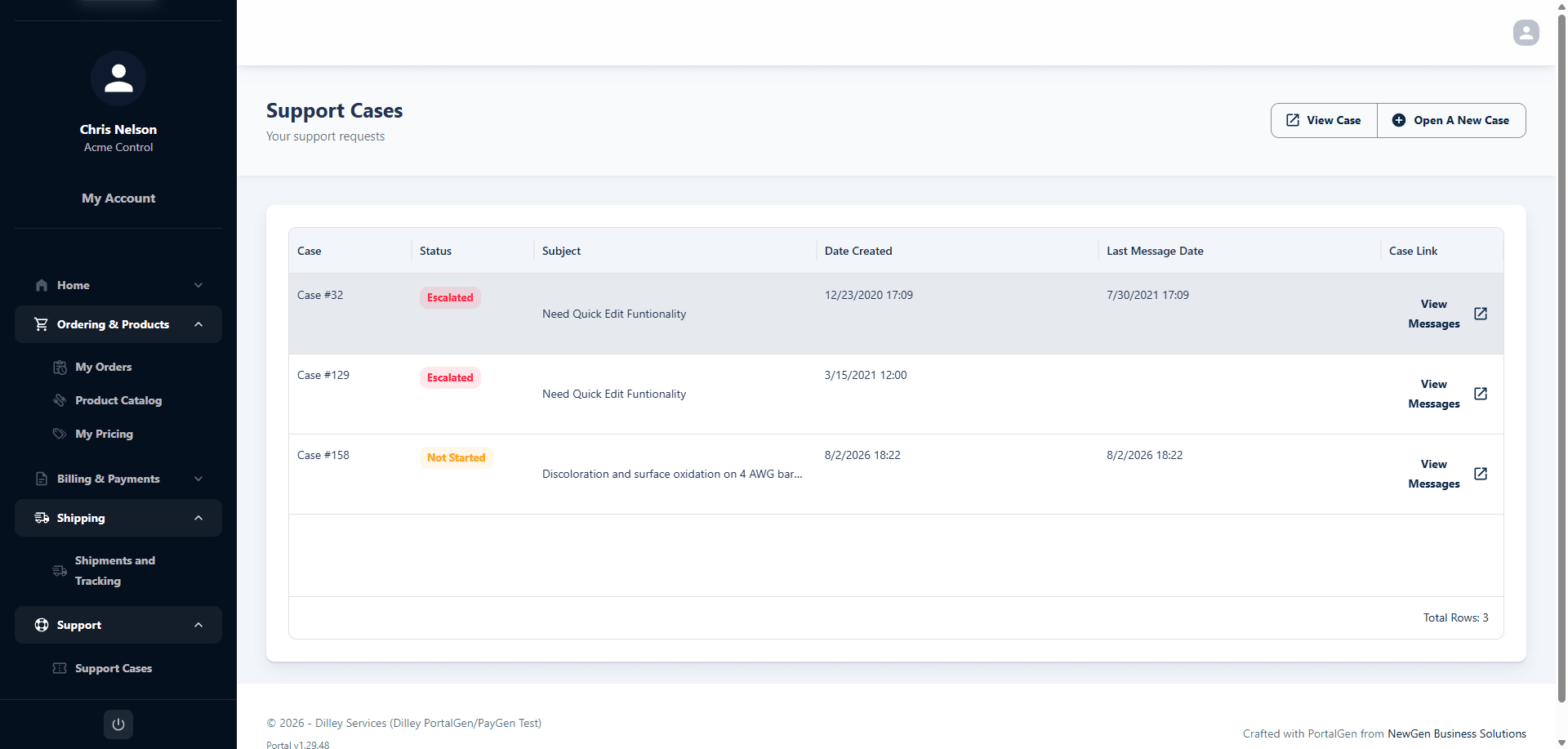
Support requests, where they already are.
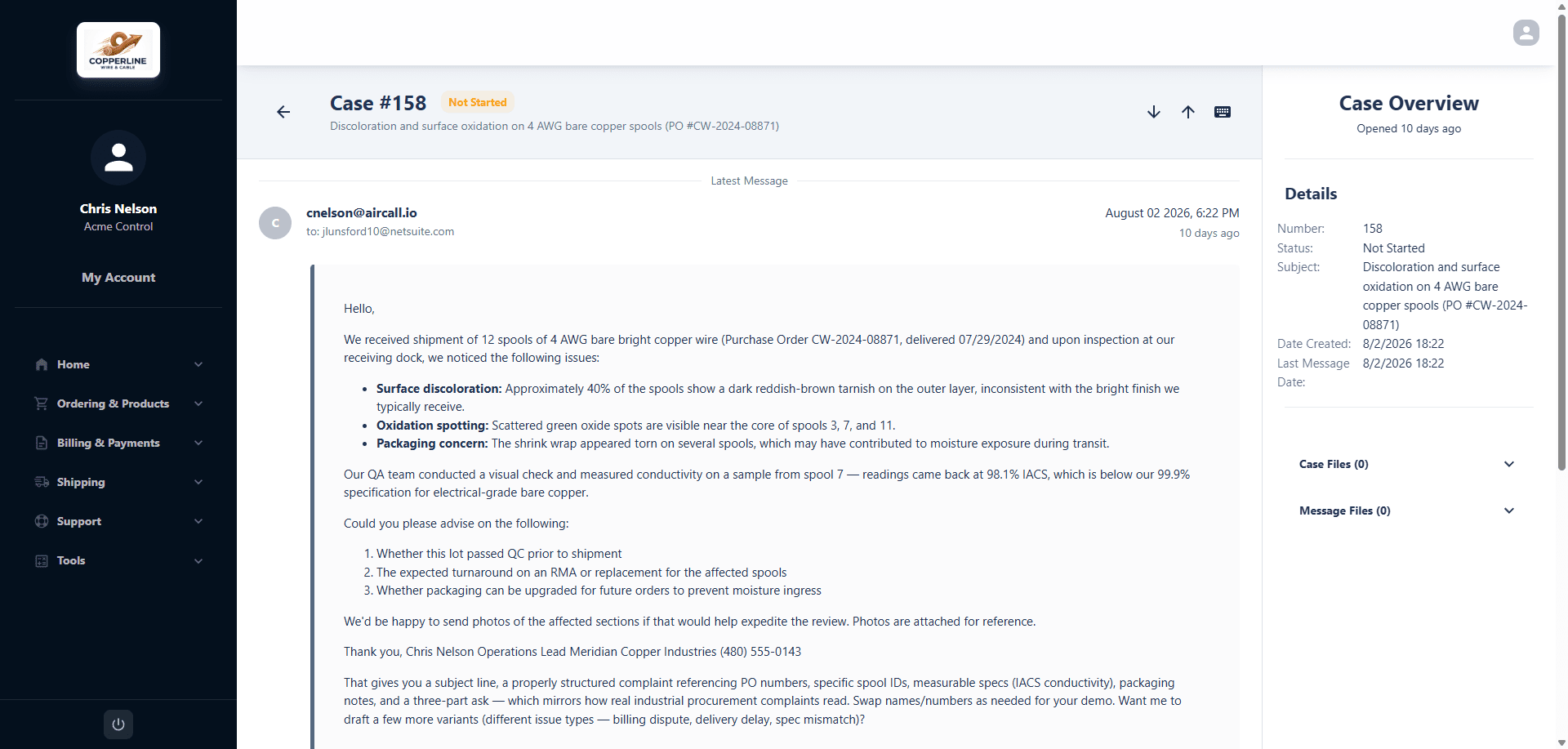
Customers open and manage their own support cases inside the portal — and each one is a real NetSuite case, so it routes, escalates, and reports exactly like the cases your team opens internally. Nothing lives in a shared inbox or a second ticketing system.
OPEN
Customers file a case from the portal — subject, description, and attachments, no email required
DISCUSS
Threaded messages both ways with files; every reply posts to the case record in NetSuite
TRACK
Status, dates, and full message history stay visible, so “any update?” emails stop
CUSTOM TOOLS
Your portal can do more than billing.
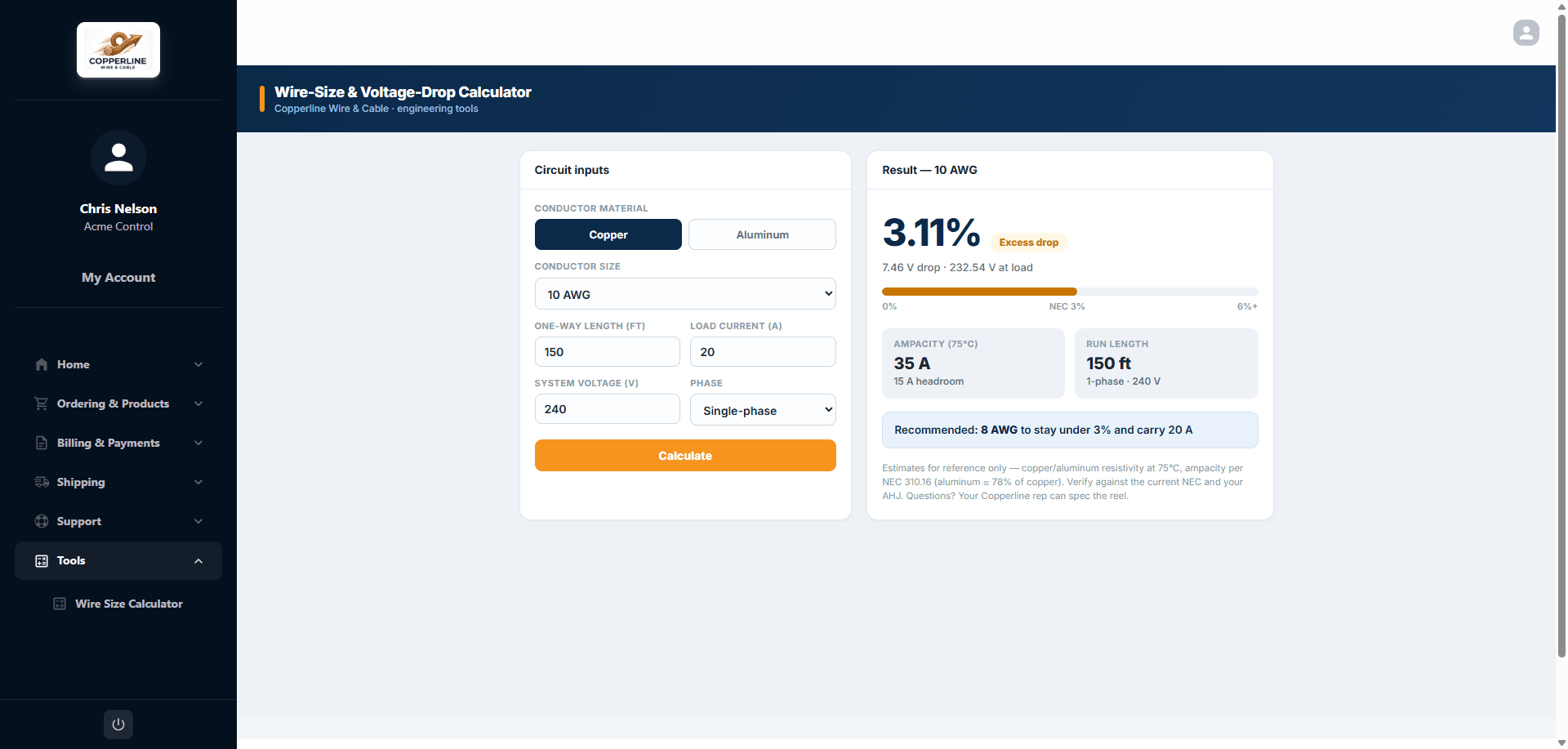
Portal pages are real HTML, so PortalGen can host custom pages that run your own scripts — inside the portal, behind the same login, reading the same NetSuite data.
DISTRIBUTORS
Sizing, spec, and fitment calculators sitting next to the products they buy
MANUFACTURERS
Product configurators, lead-time checks, and RFQ builders
SERVICE BUSINESSES
Renewal, usage, and quote estimators tied to a customer’s own contracts
EQUIPMENT & FIELD
Parts finders, warranty lookups, and service request forms
Built by our team or yours — a custom tool lives in the portal like any other page, in your nav, under your brand.
1234567.app.netsuite.com
WHY NETSUITE-NATIVE MATTERS
Integrations sync. PortalGen simply is your NetSuite.
A bolt-on portal keeps a second copy of your AR and hopes the sync holds. PortalGen has nothing to sync — it reads and writes the same records your finance team works in, under the same roof.
OUTSIDE
Your customers
Log in from any browser
PAY
YOUR NETSUITE ACCOUNT
P
PortalGen customer portal
RUNS AS A SUITEAPP
Invoices
Payments
Customers
GL
No sync to break
No middleware, no nightly jobs, no “last synced” timestamp to worry about.
Data stays home
Customer and payment records never leave your NetSuite account for a vendor’s database.
Your existing controls
The roles, permissions, and audit trail you already run in NetSuite govern the portal too.
Moves with NetSuite
Built and supported by NewGen Business Solutions, a NetSuite solution provider — it evolves with your account, not apart from it.
TALK TO US
Ready to stop chasing invoices?
Tell us about your NetSuite setup and we’ll walk your team through PortalGen — in the context of your own account, not a canned demo.
No pricing games — we’ll scope it with you.